


Table of Contents
How to access reports
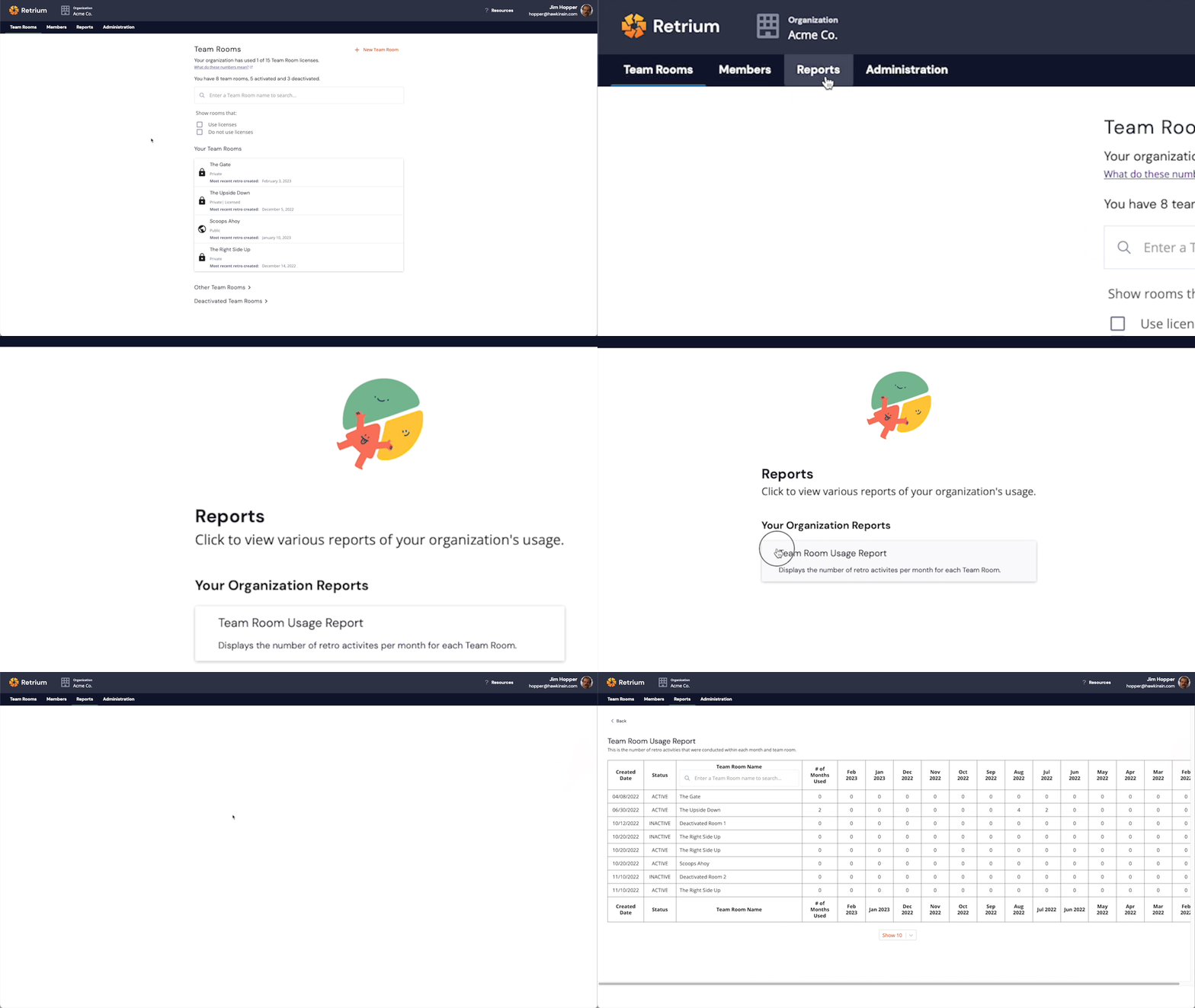
- Ensure you're logged into Retrium and have selected your organization
- Go to the Reports tab located in the main navigation menu
- Select the report you want to view
- Browse your report data and sort as desired by clicking any table headers
Who can access reports?
💡 Org Admins can access reports. Downloading reports is an Enterprise Edition-only feature.
| Report Name |
Enterprise Edition |
Business Edition |
Team Edition |
| Team Room Usage Report | ✅ | ✅ | ✅ |
| Retro Techniques Used in Your Organization | ✅ | ✅ | |
| Your Teams' Retro Ratings Report | ✅ | ✅ | |
| Retro Techniques Used in Your Teams Report | ✅ | ✅ | |
| Active Users Report | ✅* | ||
| User Activity Report | ✅* | ||
| * Only Enterprise Edition Orgs with a per-user license can access user-based reports | |||